Unboxing Videos That Reveal Coupons: How to Spot and Use Hidden Codes
The best coupon in an unboxing video usually is not the one the creator shouts about. It is the one taped to the inside of a box, flashed on screen for two seconds, pinned in the comments, or buried in a caption while someone is peeling shrink wrap off a blender. Unboxing videos on TikTok and Instagram have become a weirdly effective coupon delivery system, especially for beauty, tech, sneakers, home goods, pet gear, and subscription boxes. The trick is watching like a bargain hunter instead of a fan. Treat the video as a clue, not a checkout button, and you can catch codes that never show up in a normal sale section.
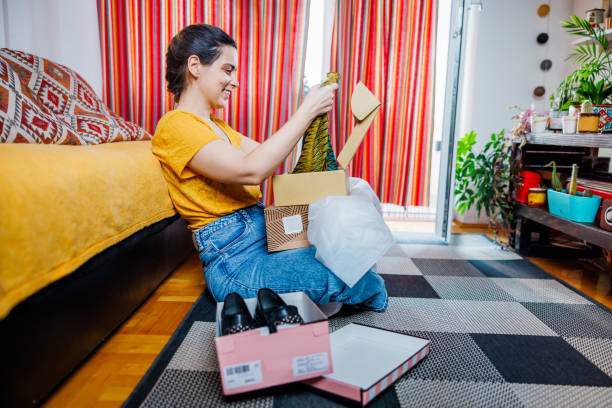
Start by watching for the reveal moments. Obvious ones include on-screen text that says “code,” a creator saying “use my code,” a link in bio, or a pinned comment. Less obvious ones are the packaging insert, a promo card tossed aside, a QR code on the box, or a sticker on the product itself. Pause and screenshot anything that looks promising. Zoom in on the screenshot instead of trusting your eyes in real time. Check the first comment and replies, because creators often drop updated codes there when the original expires. Check recent posts and story highlights too. A code from three weeks ago may be dead, but a code from yesterday is worth testing.
Once you have a code, figure out what kind it is. Some are true retailer coupons. Some are creator affiliate codes that give you a small discount and pay the creator a commission. That is not automatically bad, but do not assume it is the best price. Compare the code against the retailer’s newsletter signup offer, cart abandonment email, sale page, and price-tracker history. Copy the code exactly and apply it at checkout. The cart is the only place that matters. Watch for minimum spend, exclusions, one-use limits, app-only rules, and expiration dates. A 20% code that excludes sale items is often worse than free shipping on an item already marked down.
Verification matters because fake coupon videos exist. A creator may show a code that never worked, or a “coupon” that is really just a referral link. Do not pay for coupon lists, and do not enter payment details on a site that is not the actual retailer. If a QR code appears in a video, screenshot it and inspect the URL before scanning. Search the code plus the retailer’s name. Look at recent comments for “dead code” replies. If multiple recent videos show the same code working, that is a good sign. If the code requires an app download, a subscription, or a new account, calculate the true cost before you bother.
The real savings come from stacking. Use the coupon on a sale item if the terms allow it, then add free-shipping thresholds, cashback portals, and credit card rewards. Keep a notes app with codes, expiration dates, and screenshots of the terms. Use a dedicated email address for newsletters. Follow a small number of creators in categories you actually buy from, not fifty random accounts. Turn on notifications only for live unboxings and deal drops. Live videos are where flash codes often show up, and the comments can tell you fast whether the code is still alive.
Unboxing formats matter too. Subscription box videos often include “come back” coupons for a next order. Mystery-box unboxings can reveal coupon cards, but be careful: many mystery boxes are low-value bait. Beauty, sneaker, tech, home, pet, and grocery unboxings are common places to find codes for first orders or free shipping. If a creator shows a promo card inside the box, pause and zoom. If a live comment pins a code, screenshot it. If you are unsure, ask the creator directly. Many will answer whether the code is still active.
The smart play is simple. Watch closely, screenshot the code, check the comments, verify the retailer, test the code in the cart, and stack it with whatever legitimate savings you can find. Do not let a coupon talk you into buying something you did not want. A code is only a deal if it lowers the final price you actually pay. Use unboxing videos as a treasure map, but let the checkout screen be the judge.